
We have released new versions of Solid PDF Tools, Solid Converter Mac and Solid Commander that include optical character recognition (OCR) for Chinese, Japanese, Korean and Greek.
This OCR support was added using Tessaract OCR. Tesseract is an optical character recognition engine for various operating systems.
Solid PDF Tools download:
http://www.soliddocuments.com/download.htm?product=SolidPDFTools
Solid Commander download:
http://www.soliddocuments.com/download.htm?product=SolidCommander
Solid Converter Mac download:
http://www.mac-pdf-converter.com/download-pdf-to-word
In addition, Solid OCR includes high quality optical character recognition in 14 languages (English, Danish, Dutch, Finnish, French, German, Italian, Norwegian, Polish, Portuguese, Russian, Spanish , Swedish and Turkish) for reconstructing scanned pages as editable documents.
Monday, March 13, 2017
CJK plus Greek OCR Support


Wednesday, June 18, 2014
Version 9 is available
Solid Automator v9
Solid Commander v9
Tuesday, September 24, 2013
DOCX is Not a Portable Document Format
We have had some customers wonder why .docx files display differently in Microsoft Office on OSX versus Office on Windows.
Fonts
Mac OSX has its own set of fonts that are not available on Windows. If you have Office installed on OSX then it also adds typical Microsoft Office fonts. The Mac has a super-set of fonts and that means that documents converted on Windows have more chances to be displayed well on Mac than vice versa.
Windows and OSX
Tuesday, December 14, 2010
Solid Converter PDF v7 Released
We have released version 7 of Solid Converter® PDF (for Windows). Lots of new features and improvements.
Solid Converter PDF helps you improve, create and convert PDFs into Word and Excel as well as other file formats, resulting in accurate, high quality documents that are easy to reuse. Enhanced features include the ability to: convert PDF files into .docx, .xlsx or .pptx formats without requiring Microsoft® Office®, table improvements, recover text markup, and extract data from PDF files to .CSV files. It includes 256 AES encryption, selective conversion and more.
Check out all the features of Solid Converter PDF here. Read the press release.
By the way, we have also updated Solid PDF Tools, Solid PDF Creator Plus and Solid PDF Creator to version 7.
Thursday, December 3, 2009
Solid PDF on Windows 7
 Microsoft's latest operating system, Windows® 7, has received more than a few favorable reviews, so if you're thinking about upgrading from XP or Vista, you'll be happy to know that Solid Documents software runs seamlessly on this new operating system.
Simply install our software as you normally would and get to work converting, creating or editing your PDF documents.
But that's not all. Solid Converter PDF v6, Solid PDF Tools v6, Solid PDF Creator Plus v6 and Solid PDF Creator v6 now provide support for 64 bit versions of Windows XP, Windows Vista, and Windows 7.
Thursday, January 29, 2009
New updates are available...
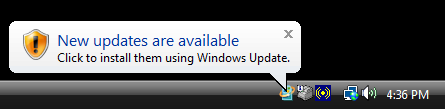
Recently a computer worm, variously known as Downadup, Conficker or Kido, has infected as many as 15 million Windows computers (possibly more at the time of this writing). Although we don't yet know why this worm was written, similar worms in the past have been used for spamming, stealing credit card details and other nefarious things.

 Follow us on Twitter